Hi Ben,
I tried your solution, but I am afraid it does not solve my problem. To show my point, I need to give detailed feedback.
For the project I am working on, I need to read the data from 5 one-wire temperature sensors, which was not possible with Flowcode 3.
I am happy to tell you that in V4.1 this problem seems to be solved. As far as I have tested it, I think the one-wire component is almost fully functional now ( I come back to this later with more details )
I always use Flowcode in combination with Proteus. When I create a program in Flowcode, I test and debug it in Proteus first before I run it on hardware. These 2 programs are for me the ideal combination to develop microcontroller applications.
About the new internal.h you sent me, I show you the differences with the original one:
This is the flowcode program:
It reads the scratchpad from the DS18S20 temperature sensor and uses the function NumberToHex$() to show the data in hex on the lcd. Because Flowcode does not simulates the onewire component, there are no real data shown. Therefore I run it on Proteus, the first time with the original internal.h
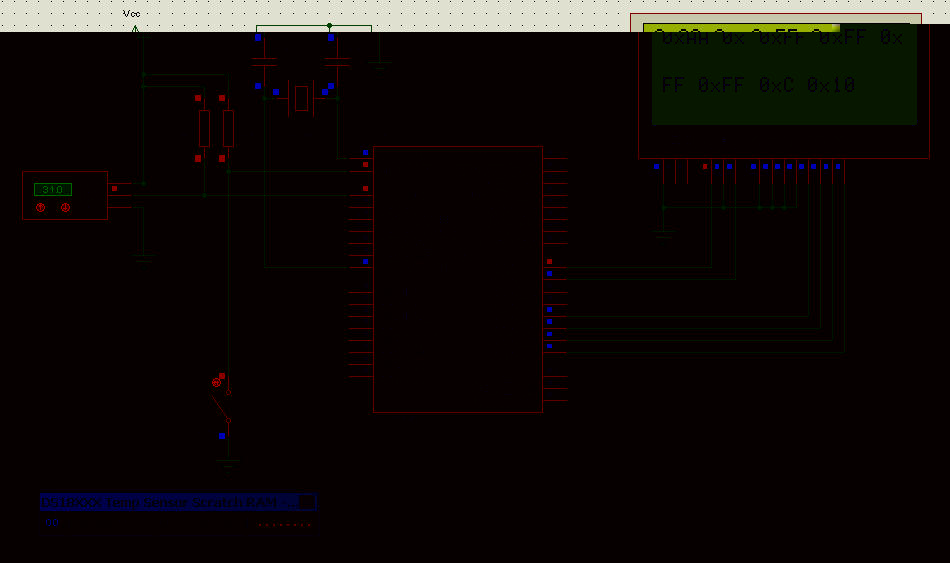
- snap0107.jpg (136.88 KiB) Viewed 5092 times
As you can see, the real data from the scrathpad are AA 00 FF FF FF FF 0C 10
You can also see what NumToHex is making of it on the lcd. The leading zero's are suppressed but the data is correct.
Now with the new internal.h:
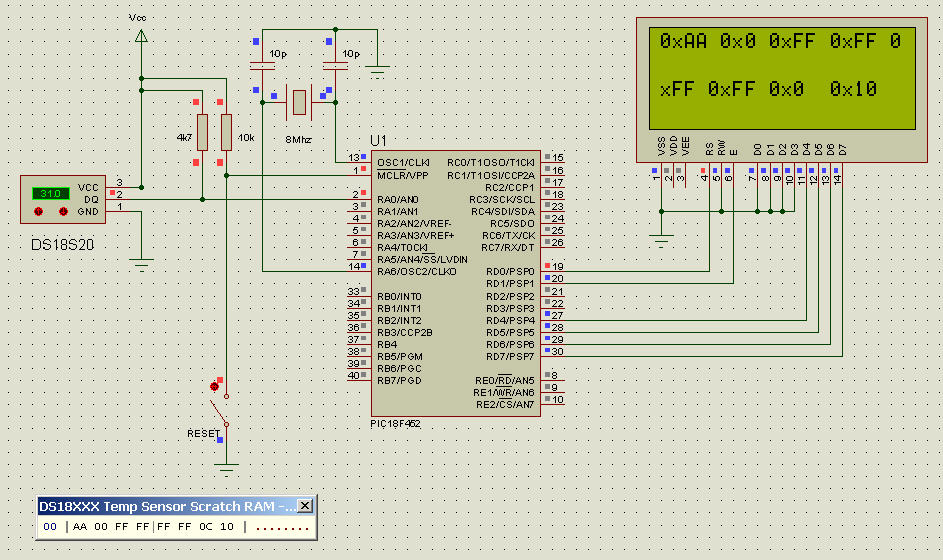
- snap0108.jpg (132.71 KiB) Viewed 5090 times
You can see that the data is not correct ( 0C is shown as 0 ) , the 0X is still in front of each byte and leading zero's are not correctly shown.
I can understand that this is not a high priority issue ( I can circumvent it with the solution from Medelec ( thx ) but I would highly appreciate if NumToHex would convert a decimal number into hex with leading zero's and no 0x in front of it. Just plain AA 00 FF FF FF FF 0C 10.
Best regards,
Eric